
Using RFID wristbands for events is a great choice. Attendees will enjoy a modern experience in which they can tap and go through entries, pay with wristbands, and avoid cash. However, there is an essential step needed to complete this vision. Prior to events, RFID wristbands must be activated. The activation process is very important to the success of your event because it affects your event's safety, operational excellence, data integrity, and more. Activating wristbands can empower your system, and failing to activate the wristbands can cause operational issues, long guest wait times, security failures and more. When working with a manufacturer, make sure they have knowledge about the proper activation process, as well as the wristbands themselves.
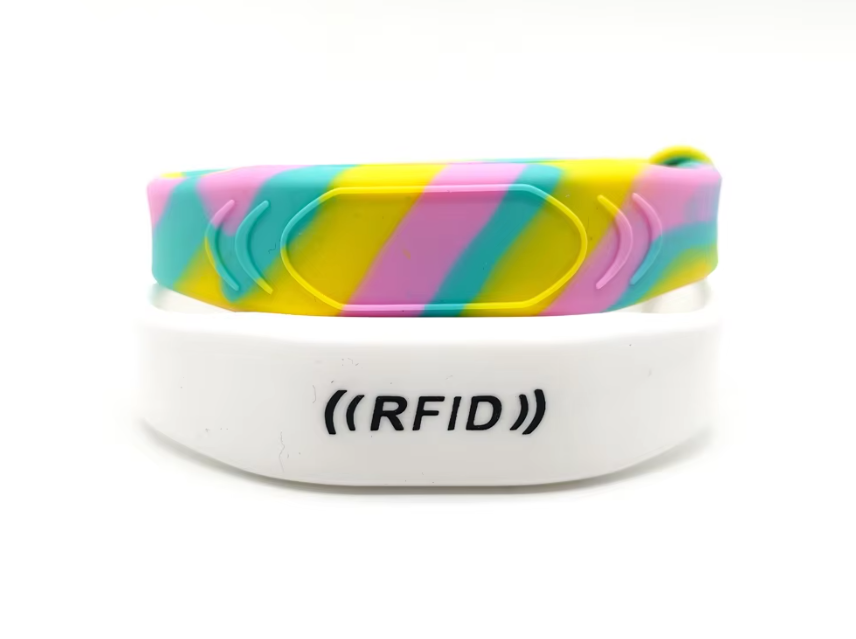
Think of activation as the process of giving each wristband its unique identity and purpose. Fresh from the factory, the RFID wristbands contain a chip that has a unique ID number. However, that ID number is like a blank key. During activation, a unique key is associated with specific data in your event's software. This process links a wristband to a ticket purchaser, adds cash credits, or grants backstage access. This guide will walk you through each of the key steps, from planning to testing, and will help your event maximize the benefits of this technology.
Before you scan wristbands, there is a fundamental prerequisite for success. This is the most common pitfall, and it is rushing to activation with no foundation.
First, make sure there is full compatibility between your software and hardware. The RFID wristbands you purchase operate on specific frequencies (for example, low frequency 125kHz or high frequency 13.56MHz NFC). Your readers, scanners, and POS (point of sale) systems have to be configured to read and write to that exact frequency. Your event management software also has to be compatible with the chip protocol of the wristband. These professionals have the experience to establish this compatibility and, for example, provide a working system for a major U.S. music festival with 50,000 units.
Second, you will need to prep your data. How can you pair each wristband with each attendee? The best way is to combine the wristband's unique ID (UID) with a ticket order in your database at the time of check-in or will-call. Make sure your software can accommodate this data integration. If you’re pre-loading balances, determine the starting credit amounts and establish a straightforward process for users to add more. Now, let's discuss how to prepare your activation station. Ensure it is a clean, well-lit, and organized area. Your activation station should have a fully functional computer that is synced to your database, a reliable RFID encoder, and a reader. Make sure to do a test run at this station before the opening of the event gates.
With the prep work done, you can move to the main part of the wristband activation procedure. This is usually a linear process and should be consistent, regardless if it is done in batch prior to the event or if activation occurs on a one-by-one basis to event registrants.
Step 1: First Scan and UID Capture
The first step is to scan the blank wristband with your encoder so that you can capture the unique factory-assigned ID number of the wristband. This UID is the wristband's unchangeable digital fingerprint. Your software should create a record or “profile” for that UID, which is the first time this wristband is being added to your system.
Step 2: Associating Data and Encoding
Linking a unique identifier to the corresponding data for each attendee in your database is the most important process in making the wristband useful. It can be as simple as entering a ticket number, scanning a barcode from a print-at-home ticket, or choosing an attendee from a list that's been loaded in advance. For cashless payment features, you also have to do a “write” operation to the chip, for example, by setting a default cash value. Premium wristbands from manufacturers who practice rigorous quality control guarantee that each chip is fully functional for both read and write operations.
Step 3: Testing
Do not presume that an activation went through. After encoding, do a verification scan. The read should reflect the data (name, ticket type, credit balance) that was assigned to the wristband's UID. For access, take the activated wristband to a sample reader at an “entry” point to confirm that it provides access. This scan is for the double-check, the final barrier to confirm that you have made no mistakes.
The wristband is officially ready to be used in your system. How you give it to the attendee is the last part of the activation process and an important interaction.
When attendees are registering or entering the venue, staff should check the attendee's ID, ticket, or confirmation email before putting an activated wrist band on the attendee's wrist. It is encouraged that event organizers utilize wristbands that have tamper-evident seals or wristbands that have one-time locking mechanisms. These features can be customized by manufacturers to prevent the transfer or resale of wristbands. This practice helps reduce the "ticket fraud" that event organizers go to great lengths to prevent with the use of RFID technology.
Explain to attendees how to use the activated wristbands. For example, saying please tap your wristband on the reader to enter or pay, in addition to a sign, can help the user experience. Some wristbands have a cashless feature, so make sure attendees know how to use the mobile app if they want to check the balance or funds available on the wristband.
Be sure to have a plan in place in case something goes wrong. Having a plan established ahead of time will help with maintaining a high level of attendee satisfaction.
The Reader Doesn't Detect the Wristband:
Make sure the RFID chip mark on the wristband is facing the reader. Sometimes you need to rotate your wrist. If it still doesn't work, it could be a rare bad chip, or metal items like watches could be affecting it. Each station should have a few spare wristbands that can be replaced quickly.
Data mismatch or invalid wristband.
This typically means a problem with the data linking a wristband to a badge. The event staff should verify the person's identity against the event's master registration list, not just the wristband scan. Your software should have a way for you to deactivate that wristband's unique ID and re-assign the correct ticket to a new wristband, so your database stays correct.
Wristbands become deactivated during an event:
If a wristband unexpectedly goes offline, it may have incurred physical damage ( like severe crushing or immersion in water. some bands are water resistant or waterproof) or are simply experiencing a software bug. A quick swap should do it. The back end support of your professional grade manufacturer should be able to quickly and efficiently help with any tech problems.
The role of your manufacturing partner in success:
The quality of the RFID wristbands, and the support that comes with them, greatly influences how effective the wristband activation process is. This is where your manufacturer can make an important difference.
A manufacturer who has been doing business for 18+ years does not only sell you a product. They sell you a business relationship. Because of their in-house factory control and fully integrated supply chain, you can count on wristbands having consistent chip performance and reliable read ranges. This eliminates major activations variables. Their professional business team can offer important pre-sales guidance on the best chip for your use case, as well as support after the sale if there are tech questions from you and your team during the process.
Also, as the first manufacturer in the world to provide solutions to the festival industry, they know how to solve real issues, such as how to enable quick entry for tens of thousands of festival-goers. Understanding the context of their work is, in general, quite important. They are usually able to provide their clients with best practices based on their successful implementations from around the world when it comes to the logistics of setup and activation stations. By selecting a partner who is committed to your event's success, you are not only acquiring wristbands, but you are also acquiring the assurance that your activation process is based on a dependable, high-quality platform.
In order to transform RFID wristband inventory into functional wristbands that will serve as access, payment, and engagement tools, wristbands must first be activated. This Activation process requires strategic planning, a step-by-step approach, and immediate troubleshooting processes.
Treating wristband activation as a pivotal step in your operational process, you can align the goal of your event to maximum the potential of your manufacturing partner. This will give you the technology’s promise: steadfast security, seamless user experience, and rich data capture. Activation of every wristband does more than allow entry into an event. It provides the full experience and modern event capabilities.


